One-tap repeats
Start a familiar work-and-rest interval immediately, with the most recent settings already waiting.
HIIT timer for iPhone and Apple Watch
Build fast work-rest intervals or a complete named circuit. RoundCue keeps the timer readable, calls the changes clearly and lets every exercise have its own time, color and sound.
Simple when you want it
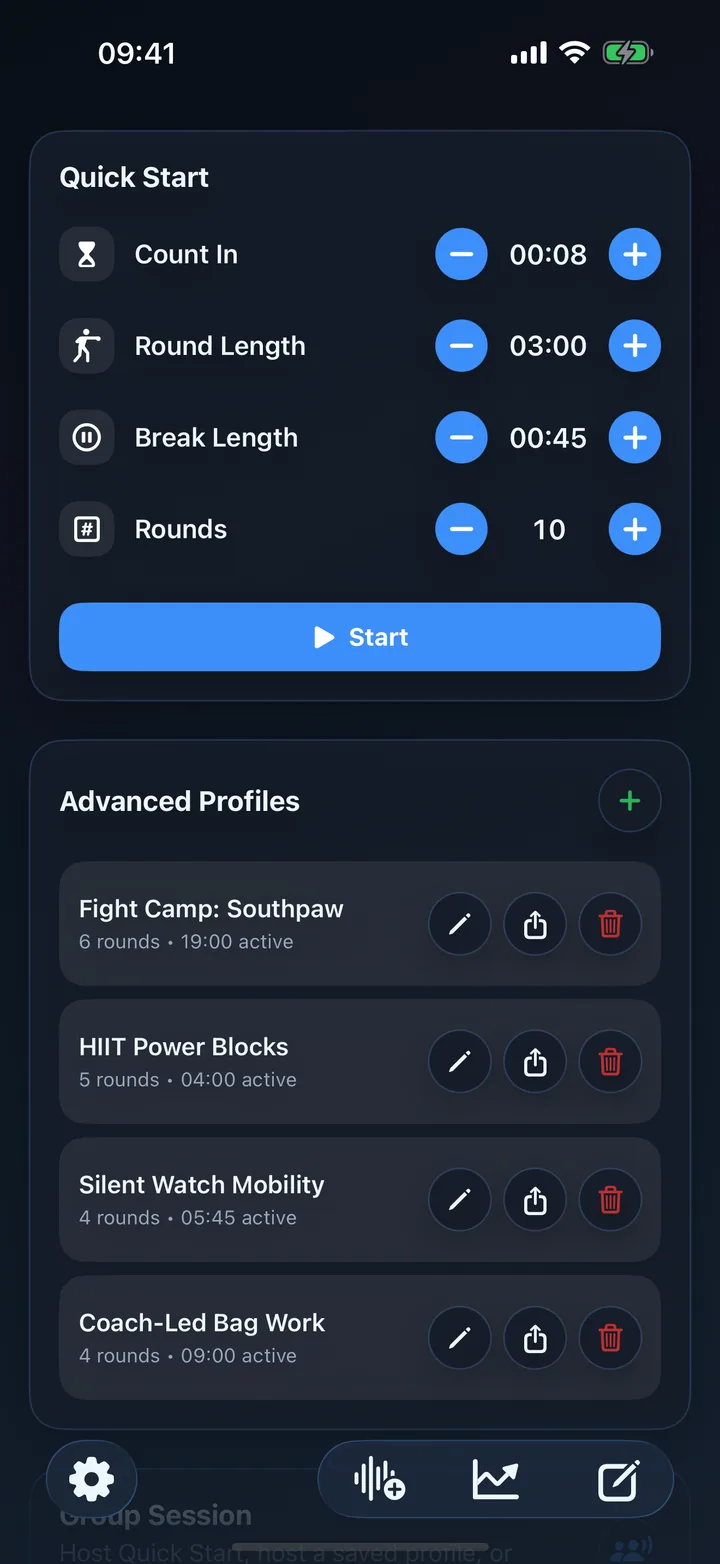
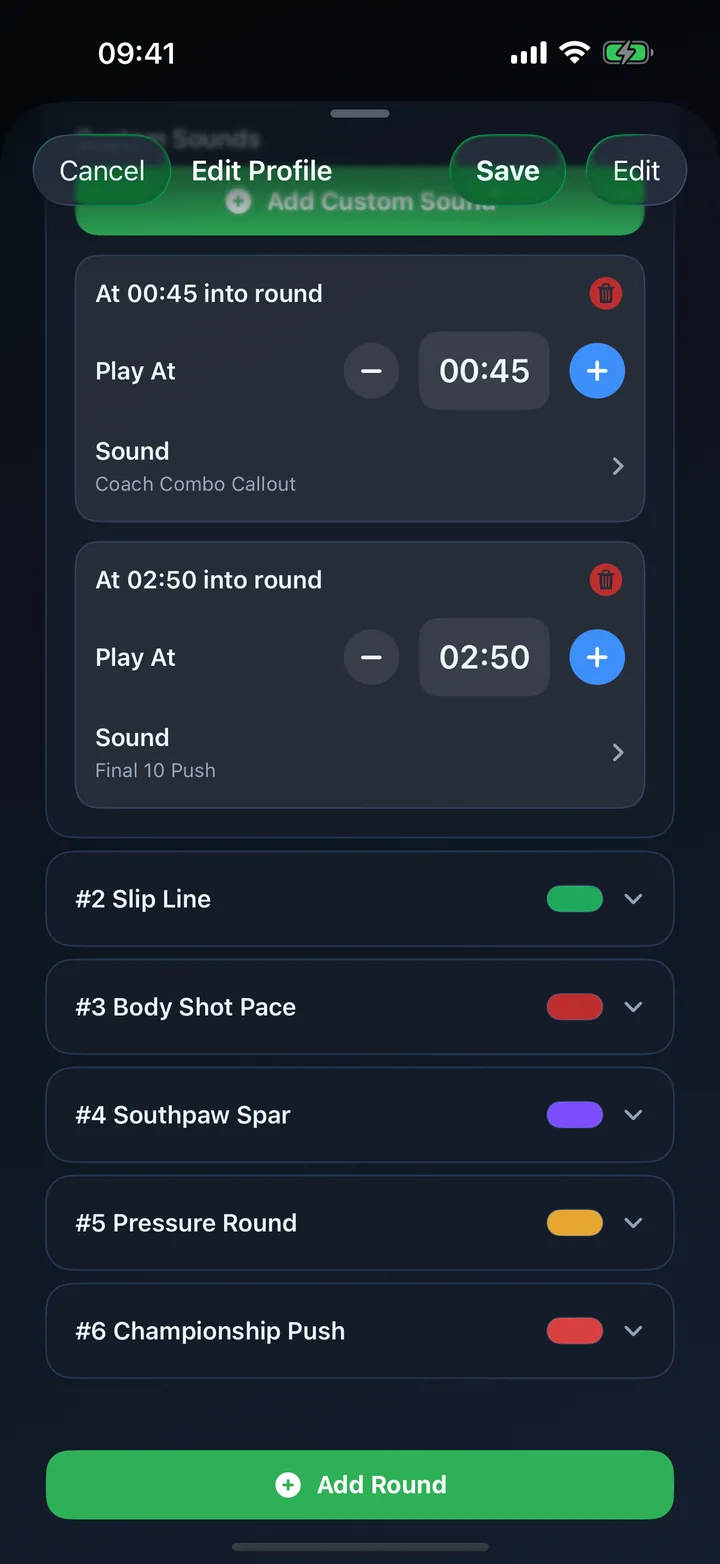
Quick Start remembers your latest work time, rest time and round count. When a workout needs more structure, advanced profiles can describe the full session exercise by exercise.
Start a familiar work-and-rest interval immediately, with the most recent settings already waiting.
See Squats, Mountain Climbers or Recovery instead of a generic round number.
Give each exercise its own duration and color so effort, transition and recovery phases are unmistakable.
Example setups
These examples are starting points, not exercise prescriptions. Choose movements and intensity appropriate to your ability and guidance.
| Format | Work | Recovery | RoundCue setup |
|---|---|---|---|
| Balanced intervals | 30 seconds | 30 seconds | Quick Start with repeating rounds |
| Tabata-style | 20 seconds | 10 seconds | Eight rounds with warning cues |
| Named circuit | Varies by exercise | Planned transitions | Advanced profile with titles, colors and custom commands |
| EMOM structure | Exercise at the minute start | Remainder of minute | One-minute named rounds with a start cue |
Hands-free instructions
Record or import commands and place them at exact elapsed times inside a round. You can announce the next movement, remind yourself about form, or signal a change in pace without returning to the phone.
Use a custom command such as “switch sides” halfway through an interval.
Add short, useful prompts that keep the session focused without cluttering the screen.
Name exercises so RoundCue can make each phase easier to recognize as it begins.
Apple Watch
Start Quick Start or saved profiles from Apple Watch, use haptics when sound is impractical, and record supported workouts to Apple Health. Live mirroring can keep the same timer visible on iPhone across the room.
Feel countdown, interval-start, warning and interval-end patterns from the wrist.
Use iPhone as a larger live screen while Apple Watch remains the workout owner.
Review completed sessions in RoundCue’s log, charts, calendar and progress insights.
Build a circuit
Create a round for each movement, transition or recovery phase.
Choose a duration and visual treatment that fits each phase.
Place custom audio prompts only where they make the workout easier to follow.
HIIT timer FAQ
Yes. Set 20-second work rounds, 10-second breaks and eight rounds in Quick Start, or save the setup as an advanced profile with extra customization.
Yes. Advanced profiles support individual round and break durations, titles, colors and sound overrides.
Yes. Record or import custom audio and place commands at exact elapsed times within individual rounds.
Your intervals, your cues
Download RoundCue free on the App Store.