Name and color every round
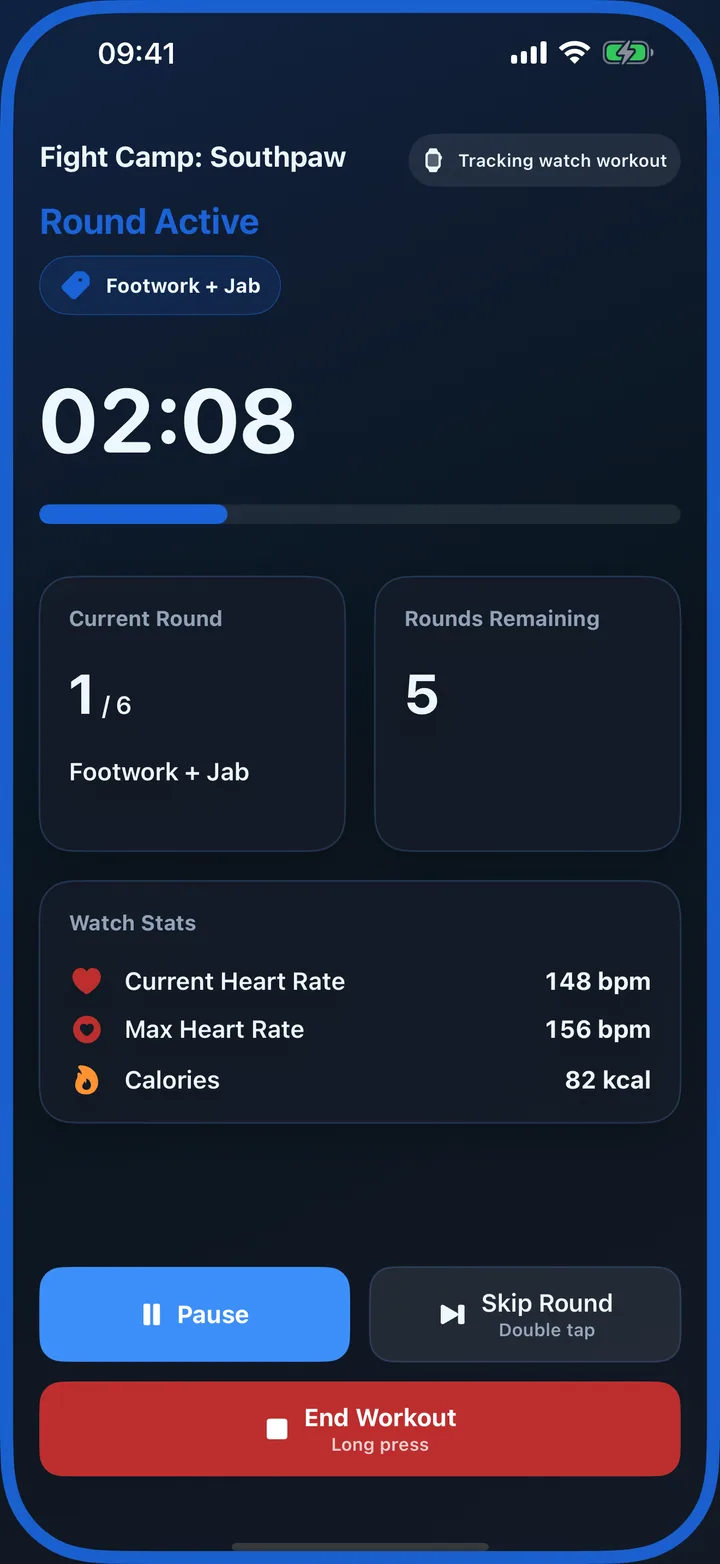
Label rounds Heavy Bag, Footwork, Defence or Southpaw and give phases distinct colors that remain obvious at a glance.
Boxing timer for iPhone and Apple Watch
Run a simple bag timer in seconds or build a complete boxing session with named rounds, different durations, custom colors, recorded coaching commands and Apple Watch workout tracking.
More than a repeating bell
Boxing training rarely stays identical from the first round to the last. RoundCue can keep a quick everyday timer simple while advanced profiles give each round its own purpose.
Label rounds Heavy Bag, Footwork, Defence or Southpaw and give phases distinct colors that remain obvious at a glance.
Mix technical rounds, longer conditioning rounds and shorter finishers in one saved profile, each with its own rest period.
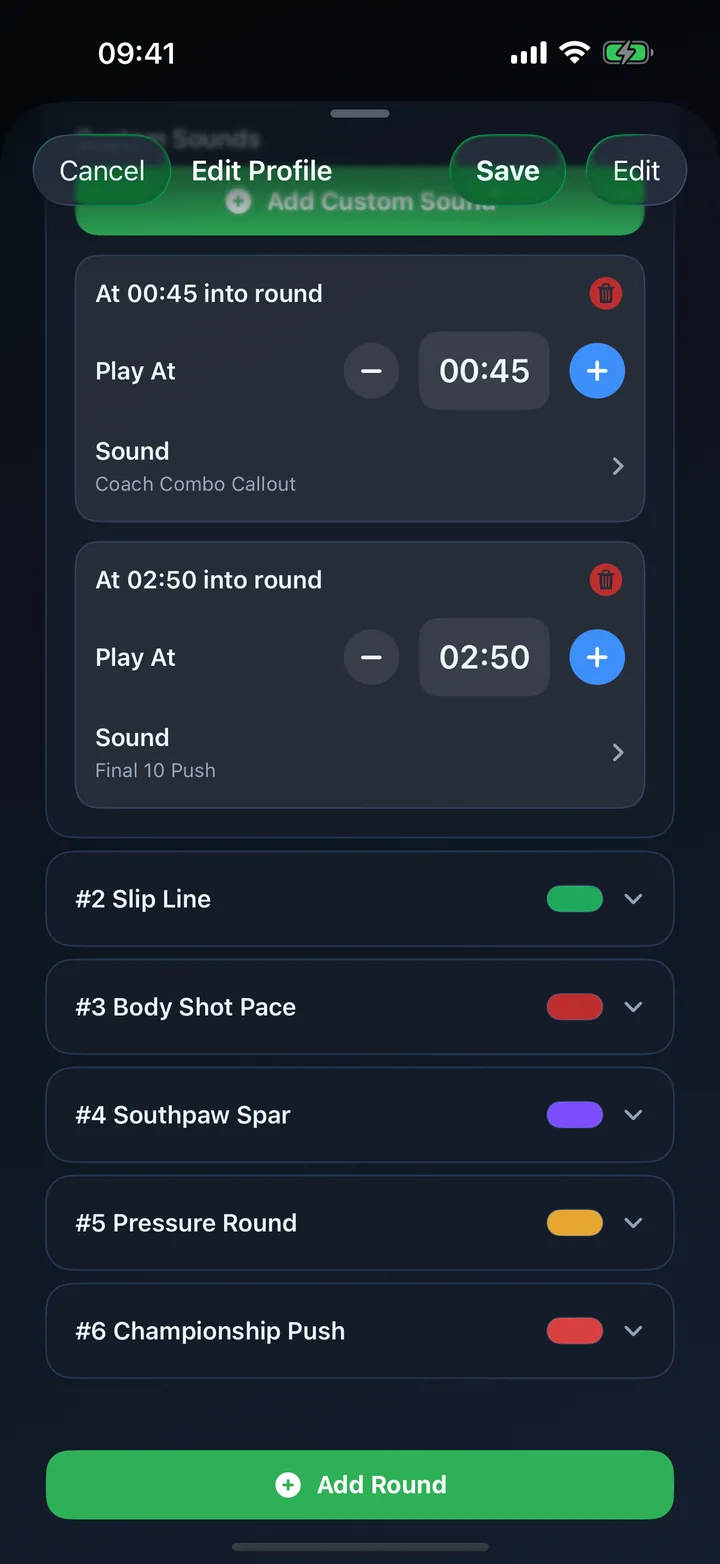
Choose built-in boxing bells or record commands such as “hands up”, “switch stance” and “last push” for exact moments inside a round.
Example setups
These are flexible training examples rather than competition rules. Adjust the number and duration of rounds to your experience, goals and coach’s guidance.
| Session | Rounds | Rest | Useful cues |
|---|---|---|---|
| Heavy bag | 8 × 3 minutes | 1 minute | 10-second warning and final bell |
| Technique focus | 6 × 2 minutes, individually titled | 45 seconds | Recorded stance and combination prompts |
| Conditioning finisher | 6 × 1 minute | 30 seconds | Timed “push” cue halfway through each round |
Custom commands
Timed sounds are placed by elapsed time, so a command set for 60 seconds plays one minute into the round. Record your own voice, import an audio clip, or combine custom prompts with RoundCue’s built-in bells and warnings.
Prompt a guard reset, stance switch or movement focus at planned moments.
Signal when to move from jabs to combinations without interrupting the round.
Add an unmistakable late-round cue for the final controlled push.
Apple Watch and Health
Start a saved boxing profile from Apple Watch, feel silent haptic cues, record an Apple Health workout with heart-rate data where available, and mirror live progress to a nearby iPhone when you want a larger display.
Start directly from the wrist and keep workout control with Apple Watch.
See and control the same live round state on both devices when mirroring is enabled.
Save supported Watch workouts to Apple Health with duration and heart-rate metrics.
Get started
Use Quick Start for a standard repeating work-and-rest session.
Create a named setup for sessions you plan to repeat.
Add titles, colors, individual durations and custom audio commands.
Boxing timer FAQ
Yes. Advanced profiles let every round and break have its own duration, title, color and sound assignments.
Yes. Record or import custom audio, then assign it as a standard workout sound or place it at a specific elapsed time inside an individual round.
RoundCue keeps workout timing accurate through date math and can continue delivering configured audio cues while the workout is active.
Ready for the bell?
Download RoundCue free on the App Store.